
Interior design tools shape how professionals and enthusiasts bring their creative visions to life. From digital software to classic drafting supplies, the right tools make the difference between a frustrating project and a stunning result.
Today’s designers have more options than ever. They can sketch concepts by hand, model rooms in 3D software, or mix both approaches for maximum flexibility. The key lies in knowing which interior design tools fit specific needs and budgets.
This guide covers essential resources across five categories: digital software, traditional drafting tools, measuring instruments, color selection aids, and project planning solutions. Whether someone is designing their first room or running a professional studio, these tools provide the foundation for success.
Table of Contents
ToggleKey Takeaways
- Interior design tools range from digital software like AutoCAD and SketchUp to traditional drafting supplies, offering options for every skill level and budget.
- AR and VR apps allow designers and homeowners to visualize furniture and spaces before making purchases or starting construction.
- Traditional sketching tools remain valuable for sparking creativity and capturing ideas quickly during client meetings.
- Accurate measuring instruments—including laser distance measurers and digital angle finders—prevent costly errors in design projects.
- Physical color samples and paint fan decks reveal how lighting affects colors in ways digital screens cannot replicate.
- Start with free or low-cost interior design tools to build skills before investing in professional software subscriptions.
Digital Design Software and Apps
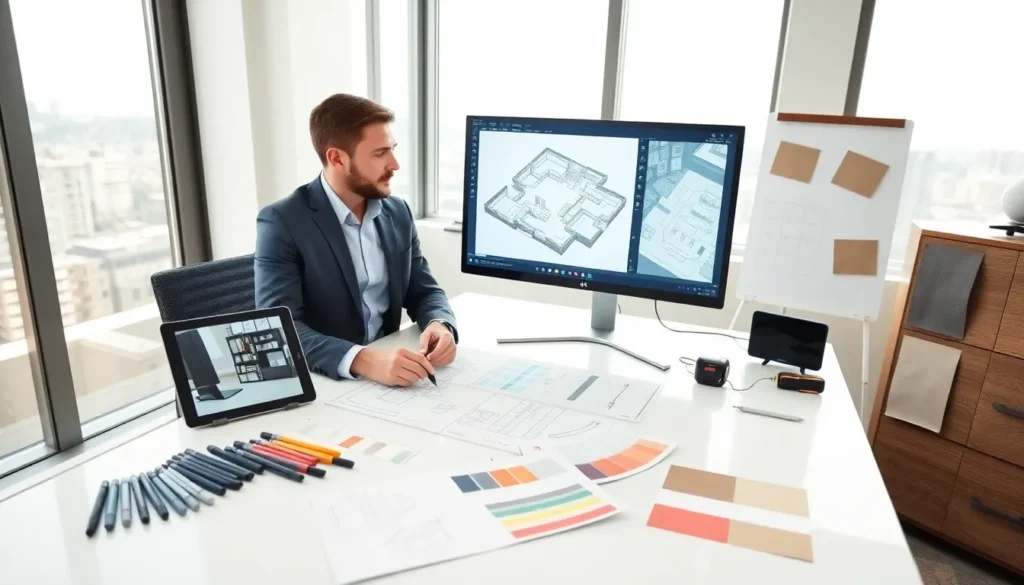
Digital interior design tools have transformed how designers work. Software programs and mobile apps now handle tasks that once required hours of manual drafting.
Professional-Grade Software
AutoCAD remains the industry standard for technical floor plans and construction documents. Designers use it to create precise measurements and detailed layouts that contractors can follow exactly. SketchUp offers 3D modeling with an easier learning curve, making it popular among both professionals and DIY designers.
Chief Architect provides specialized features for interior design, including built-in libraries of furniture, fixtures, and materials. Users can generate photorealistic renderings that show clients exactly how finished spaces will look.
Consumer-Friendly Apps
Not every project requires professional software. Apps like Planner 5D and Roomstyler let homeowners experiment with layouts on tablets and smartphones. These interior design tools often include drag-and-drop interfaces and pre-made room templates.
Homestyler connects directly to real furniture catalogs, so users can place actual products in their virtual rooms. This feature helps with budgeting and shopping decisions.
Virtual and Augmented Reality
AR apps now let people see virtual furniture in their actual rooms through phone cameras. IKEA Place pioneered this approach, and many retailers have followed. VR headsets take immersion further, allowing designers to walk through spaces before construction begins.
These digital interior design tools save time, reduce costly mistakes, and help clients visualize results clearly.
Traditional Drafting and Sketching Tools
Even though digital advances, traditional interior design tools remain valuable. Many designers prefer starting projects with pencil and paper before moving to software.
Essential Sketching Supplies
Architectural scale rulers convert measurements between real-world dimensions and drawing sizes. T-squares and triangles ensure straight lines and accurate angles. French curves help draw smooth, organic shapes for custom furniture or decorative elements.
Quality sketch paper matters too. Trace paper allows designers to layer ideas and refine concepts. Grid paper speeds up proportional drawings.
Markers and Rendering Materials
Design markers like Copic or Prismacolor bring sketches to life with color. Professionals use them for quick presentation drawings that communicate mood and style. Colored pencils offer softer effects and easy blending.
Some designers maintain marker sets organized by color family, warm neutrals, cool grays, wood tones, and accent colors. This organization speeds up the rendering process.
Why Traditional Tools Still Matter
Hand sketching builds visual thinking skills that transfer to digital work. Quick sketches during client meetings capture ideas faster than opening software. Many experienced designers report that pencil work sparks creativity in ways that computer tools cannot match.
These traditional interior design tools cost less than software subscriptions and require no technical training. They remain essential resources for designers at every level.
Measuring and Planning Instruments
Accurate measurements form the foundation of every successful design project. The right interior design tools for measuring prevent expensive errors and installation problems.
Basic Measuring Equipment
A quality tape measure belongs in every designer’s kit. Look for models at least 25 feet long with standout capability for solo measuring. Laser distance measurers provide faster results for large rooms and can calculate area automatically.
Digital angle finders measure corners precisely, critical for older buildings where walls rarely meet at perfect 90-degree angles. Level tools ensure furniture placement and artwork hanging look professional.
Documentation Tools
Grid notebooks help organize room measurements on site visits. Some designers photograph rooms while calling out dimensions to voice recorders. This combination captures both visual details and numerical data efficiently.
Sample boards hold material swatches, paint chips, and fabric samples in one place. Clients can touch and compare options during presentations.
Planning Templates and Guides
Furniture planning templates include scaled cutouts of common pieces, sofas, beds, tables, chairs. Designers move these pieces around floor plans to test layouts quickly. Interior design tools like these cost only a few dollars but save hours of redrawing.
Room planning kits combine graph paper, templates, and scale rulers in convenient packages. They work well for both professional presentations and DIY home projects.
Color Selection and Visualization Tools
Color choices define the mood and cohesion of interior spaces. Specialized interior design tools help designers select, test, and communicate color decisions effectively.
Physical Color Resources
Paint fan decks from major brands like Benjamin Moore, Sherwin-Williams, and Farrow & Ball show thousands of color options. Designers compare these physical samples under different lighting conditions, a step that digital screens cannot replicate accurately.
Large paint samples or peel-and-stick swatches let clients preview colors on actual walls. This testing reveals how natural and artificial light affects color perception throughout the day.
Digital Color Tools
Color matching apps identify colors from photos. Point a phone camera at a fabric or artwork, and the app suggests matching paint colors. Adobe Color and Coolors generate harmonious color palettes based on color theory principles.
Many paint companies offer room visualization software. Users upload photos of their spaces and digitally apply different paint colors to walls, trim, and ceilings.
Color Theory Resources
Color wheels remain fundamental interior design tools for understanding relationships between hues. They show complementary, analogous, and triadic color schemes at a glance.
Pantone guides extend beyond paint to coordinate colors across textiles, flooring, and accessories. Professional designers often reference Pantone numbers to ensure consistency across multiple vendors and materials.
How to Choose the Right Tools for Your Projects
Selecting interior design tools depends on project scope, budget, skill level, and personal workflow preferences.
Match Tools to Project Scale
Small residential projects rarely need professional CAD software. Free apps and basic measuring equipment handle most homeowner needs adequately. Large commercial projects demand precise technical drawings that only professional interior design tools can produce.
Consider the deliverables each project requires. Client presentations might need 3D renderings. Contractor coordination needs detailed floor plans. Quick concept development needs sketching supplies.
Budget Considerations
Professional software subscriptions range from $20 to $200 monthly. One-time purchases for traditional tools cost far less but offer fewer features. Many designers combine approaches, using free sketching apps for initial concepts and paid software for final presentations.
Students and new designers should start with free or low-cost interior design tools. SketchUp Free, Canva, and smartphone apps provide solid foundations without financial risk.
Skill Development Path
Begin with tools that match current abilities. Master basic options before investing in advanced software. Many professionals recommend learning hand drafting fundamentals before transitioning to digital tools, the spatial reasoning skills transfer directly.
Online tutorials and community forums support learning for most popular interior design tools. YouTube offers free training for nearly every software option.